

Every Workload, Fully Under Control
Patronum Migrate runs every workload from your own machine, keeps jobs on track through interruptions, and gives you a clear view from start to finish.
Everything you need,
nothing you don’t
Run multi-day migrations with confidence on infrastructure you choose - workstation, VM, or server. Patronum Migrate is not a hosted cloud service, and the path from setup through cutover stays predictable.

SharePoint → Google Drive
Map document libraries to Shared Drives, preserve folder structure and permissions, and run transfer jobs directly from your machine.

M365 Email Migration
Batch mailbox migration with parallel workers, date range filters, and a per-message ledger - restarts pick up exactly where they left off.

Google Workspace Migration
Full GWS-to-GWS and M365-to-GWS Patronum moves - email, Drive, Calendar, Contacts, and SharePoint from a single unified Migrate view.
Al Agent - Know Before You Move

Know your risks before you migrate. Al-generated report covering data volumes, timelines, findings, and recommendations - one click to PDF.
Jobs That Survive Restarts

Every job's progress is saved as it runs. If the app closes unexpectedly, open it again and it picks up automatically - no starting over.
Configure First, Run When Ready
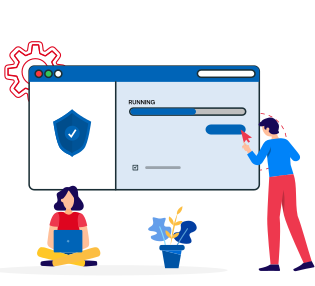
Set up all your site mappings, batches, and options in the Config views. Nothing runs until you switch to Migrate and say so. Intent and execution are always separate.
One File to Download and Run

Patronum Migrate is a single executable with everything built in - the web Ul, the job engine, the database. No Node, no Python, no Docker required.
Enter Credentials Once
Set up your Microsoft 365 and Google Workspace connections once. They're saved and reused across every project, and stored encrypted on your machine.
All Workloads in One Tool
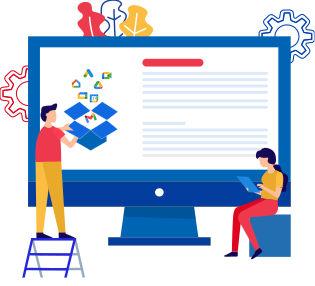
SharePoint sites, shared drives, email, calendar, contacts, and OneDrive - migrate all of them from the same app, managed from the same Migrate view.
See What's There Before You Move It

Run Discovery to get a real list of SharePoint sites, drives, and mailboxes from the source. Map against verified data, not assumptions.
Your Data Stays on Your Machine

The web interface is only accessible from the machine running the migration. Patronum Migrate is never exposed to the internet. Credentials are encrypted and never sent to a third party.
Full Logs, On Disk

Every job writes a full log to your machine as it runs. View a live tail in the app, or open the log file in Explorer for the complete history.
Live Progress for Every Job

Watch file counts, transfer rates, and errors update in real time.
See what your migration report looks like
Generated automatically after discovery - no manual analysis, no spreadsheets.
View Sample ReportAbout This
Six Steps, Every
Migration
A consistent, predictable path from first setup to jobs running - no surprises mid-project.
1
Set Up Your Connectors
Enter your Microsoft 365 and Google Workspace credentials once. Connectors are saved globally and reused across every project - no re-entering credentials for each migration.
Microsoft 365Google Workspace
2
Create A Project
A project ties together your source and destination. Set domain name rules for cross-tenant/domain moves. Projects can be archived when complete and reopened if you need to revisit them.
Source → DestinationDomain rules
3
Discover What's There
Run Discovery to pull the list of SharePoint sites, drives, and mailboxes from the source platform. Everything is saved as a snapshot so you're mapping against real data - not guesswork.
SharePoint sitesDrives & mailboxesUser & permissions
4
Configure What Moves Where
Map each SharePoint site or shared drive to its destination. Choose whether to create a new destination drive or map to an existing one. Set up mailbox batches and per-module options. This is all configuration - nothing runs yet.
Site mappingMailbox batchesCopy or sync
5
Start Jobs And Watch Them Run
Switch to Migrate and see every job in one table - files, email, calendar, contacts, and OneDrive. Hit Start All or start individual jobs. Live progress, current file, and errors update in real time.
One unified viewStart All / Stop AllLive progress
6
Restart Any Time, Pick Up Where You Left Off
If the app closes mid-run - or your machine restarts - job state is already saved. Open Patronum Migrate again and it reconciles any interrupted work automatically. Long transfers also handle credential refreshes on their own.
Saved stateAuto-recovery
Your data stays on
your machine
Patronum Migrate is built for operators who need to know exactly where their data is at every step.

Not Accessible from the Internet
The web interface listens on your local machine only - it can't be reached from outside your computer. There's no cloud relay, no remote access, no inbound port to secure.
Credentials Stored Encrypted
Your Microsoft and Google API credentials are encrypted before being saved. They're never included in exports or visible through the app - only used in the moment a job needs them.
No Database Server Required
All job state and mappings are stored in a local database file on your machine. Nothing to provision, nothing to maintain, and the database path is always shown in the app.
Nothing Gets Lost on Restart
Every job transition is recorded as it happens. If Patronum Migrate closes mid-migration, the next launch finds exactly where things were and continues cleanly - no silent failures, no lost.

Local
No cloud servers, no shared infrastructure

Single File
One binary - web UI, engine and SQLite

Encrypted
Credentials never stored in plaintext


